

Air Compressor Technical Details and User Guide
Setup, Configuration, and Operation
Learn about the technical specifications and how to set up and operate your Trail Tech Portable Air Compressor.
Technical Details
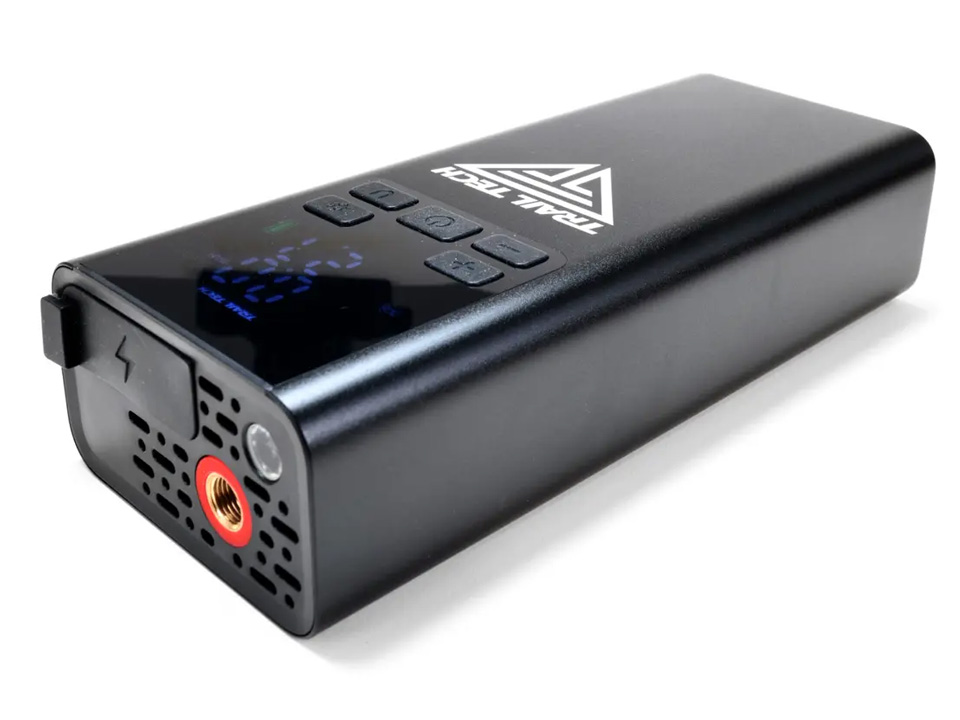
The Trail Tech Portable Air Compressor offers advanced features for reliable inflation tasks. Here are its technical specifications:
| Specification | Details |
|---|---|
| Product Model | 060-DAP |
| Battery Capacity | 3.7V / 5000mAh |
| USB-C Input | 5V / 2A |
| USB-A Output | 5V / 2A |
| Battery Power | 18.5Wh / 7.4V |
| Phone Charge Time | Approximately 80 minutes |
| Fill Rate | 25L/Min (0.88 CFM) |
| Pressure Range | 2–150 PSI (0.1–10.3 BAR) |
| Working Temperature | 15–113°F (-10–45°C) |
| Product Size | 6.4" x 2.7" x 1.5" (162 x 68 x 38mm) |
| Weight | 1.1 lbs (500g) |
The compressor's 5000mAh battery allows for multiple inflations on a single charge. Its compact size and lightweight design make it easy to carry for off-road adventures.
In the Box
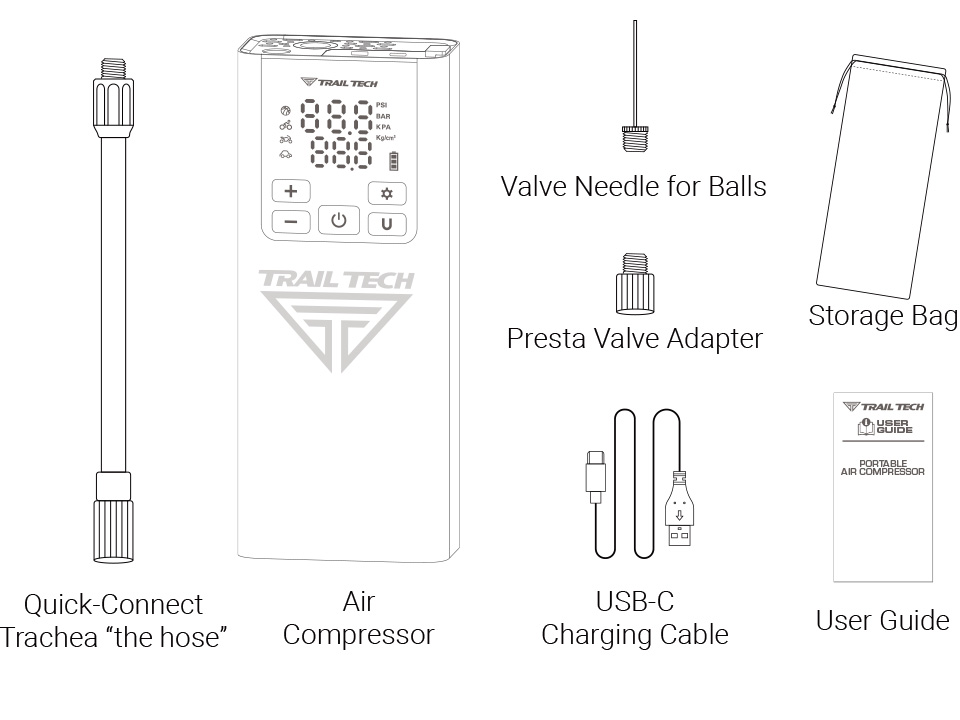
Each kit includes:
- Air Compressor
- Presta Valve Adapter
- Valve Needle for Balls
- USB-C Charging Cable
- Quick Connect Trachea
- Storage Bag
- User Guide
Function Overview
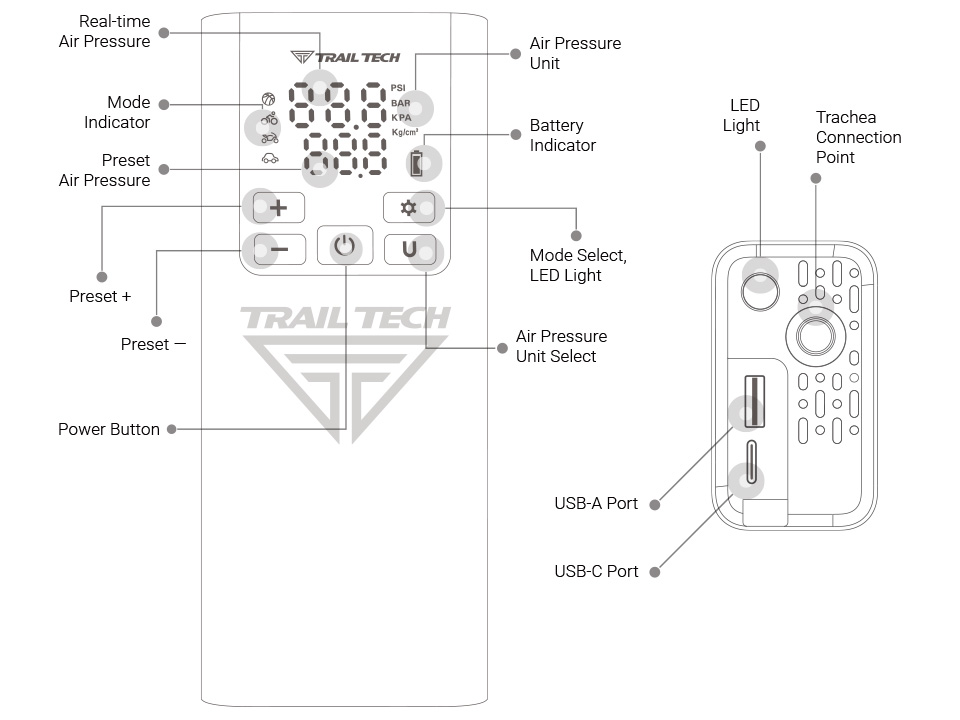
The Trail Tech Portable Air Compressor is designed for inflating tires, charging devices, and providing emergency lighting.
Tire Inflation
Inflate tires for cars, motorcycles, bicycles, and off-road vehicles. Adjustable pressure settings and a fast fill rate make it suitable for various tire types.
Device Charging
Use the 5000mAh battery and USB-A output to charge smartphones, tablets, and other USB-powered devices.
Inflating Sports Equipment
Inflate sports balls using the included needle. Perfect for basketballs, soccer balls, and more.
Emergency LED Light
The built-in LED light provides illumination in low-light situations, enhancing safety during nighttime use.
Basic Operation Guide
Learn how to operate your air compressor efficiently with this step-by-step guide.
Power On/Off
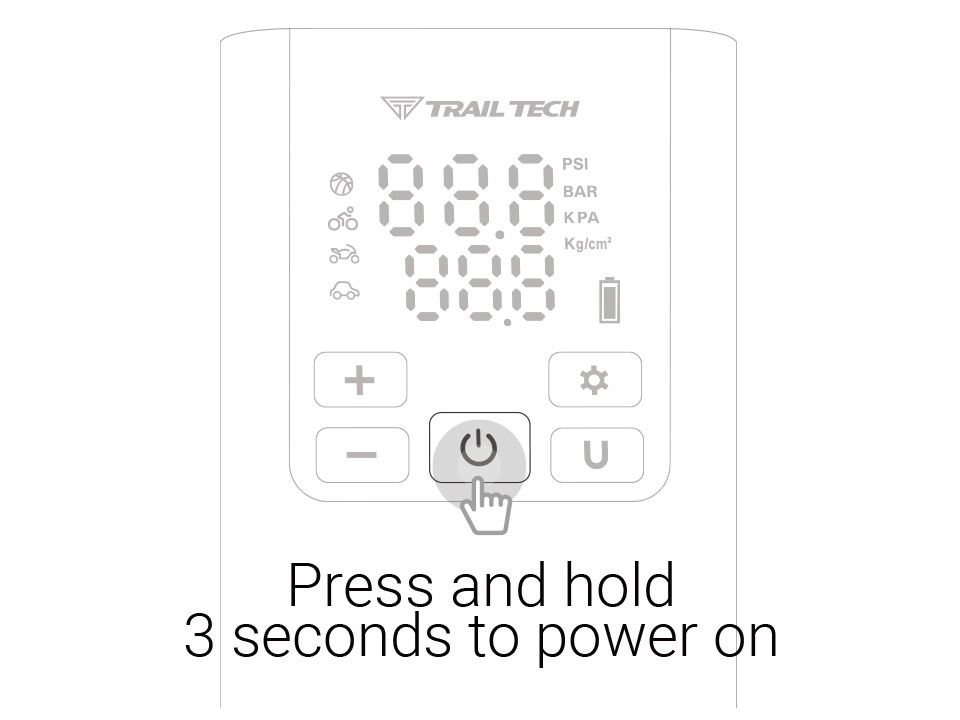
Press and hold the power button for 3 seconds to turn the compressor on or off.
Using the LED Light
Press and hold the mode select button for 3 seconds to turn the LED light on or off.
Selecting Air Pressure Units
Press the "U" button to toggle between PSI and BAR units.
Starting and Stopping Inflation
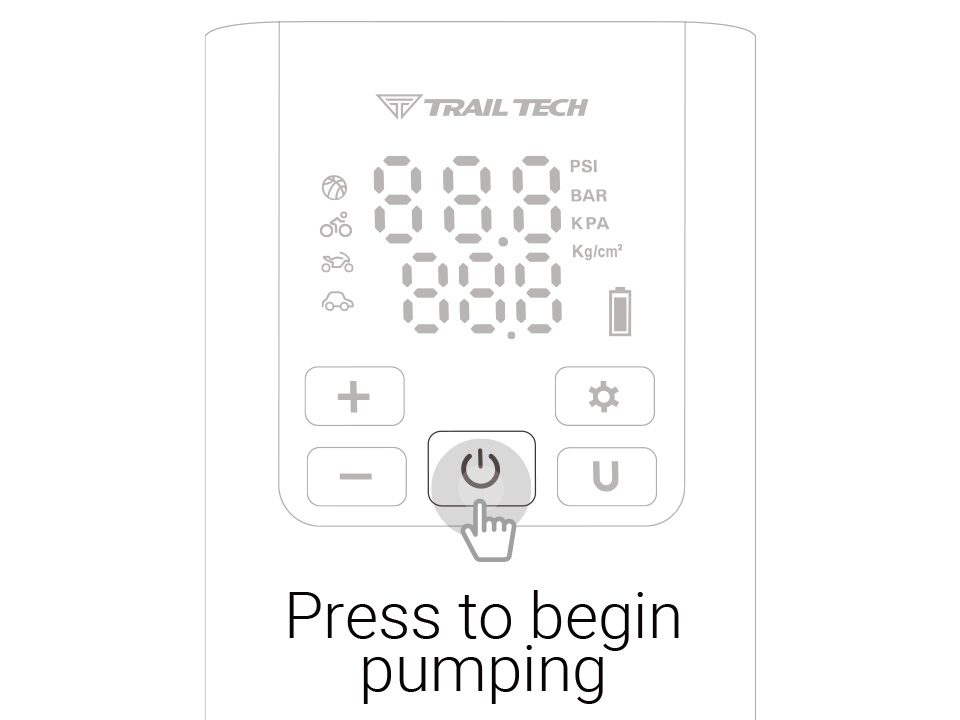
Press the power button to start inflating. The compressor stops automatically when the preset pressure is reached. Press the power button again to stop manually.
Charging the Air Compressor & Devices
Charging Devices
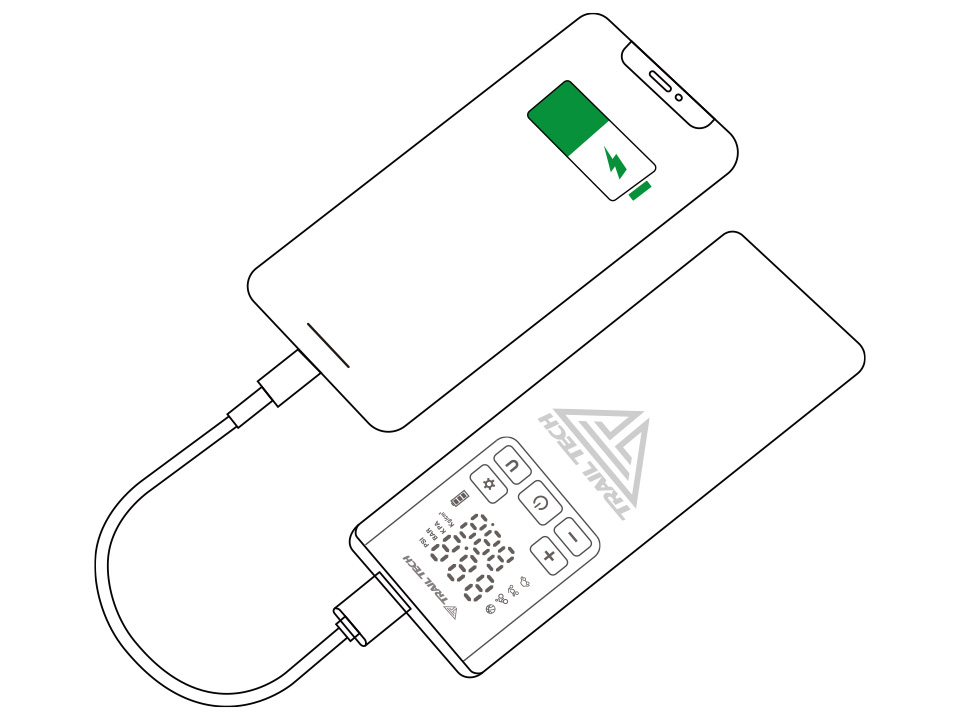
Use the USB-A output to charge devices like smartphones and tablets. Note: You cannot inflate tires while charging devices.
Charging the Compressor
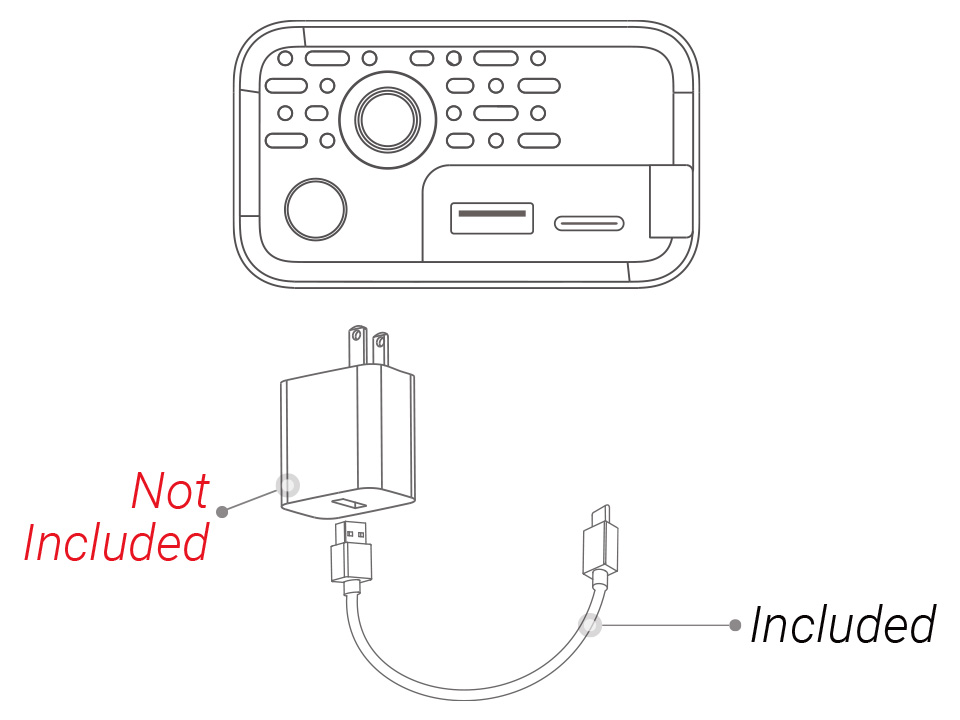
Recharge the compressor using the provided USB-C cable. The indicator flashes green while charging and turns solid green when fully charged.
Battery Indicator
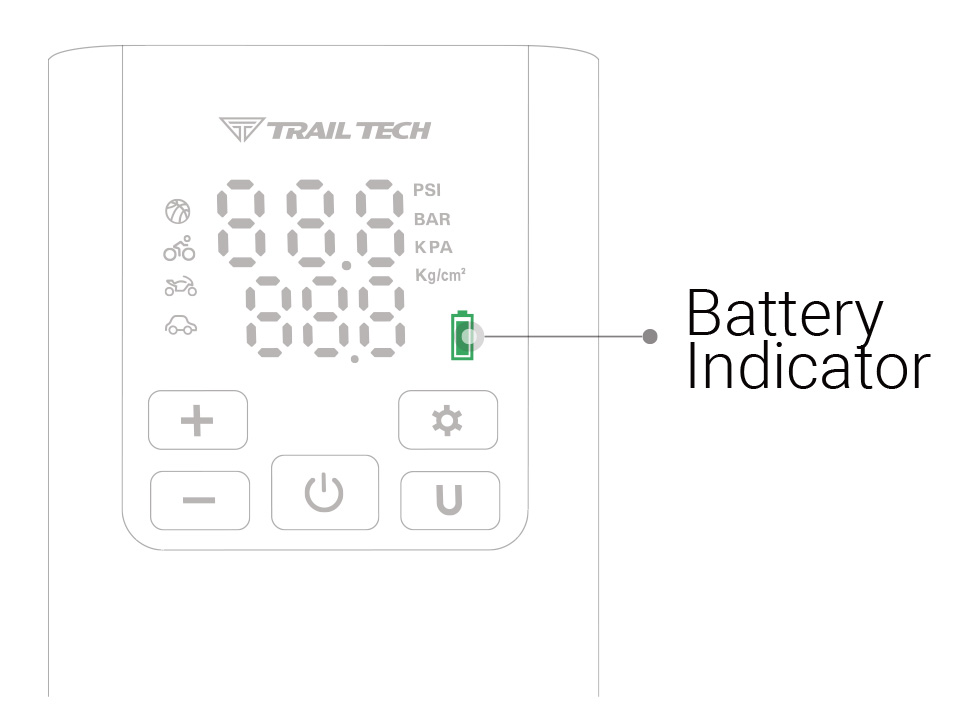
- Green: 65–100% charge
- Yellow: 25–65% charge
- Red: 10–25% charge
- Red Flashing: Below 10%, recharge needed
Connecting Trachea to Tires and Balls
Learn how to connect the trachea to different valve types for efficient inflation.
Schrader Valve
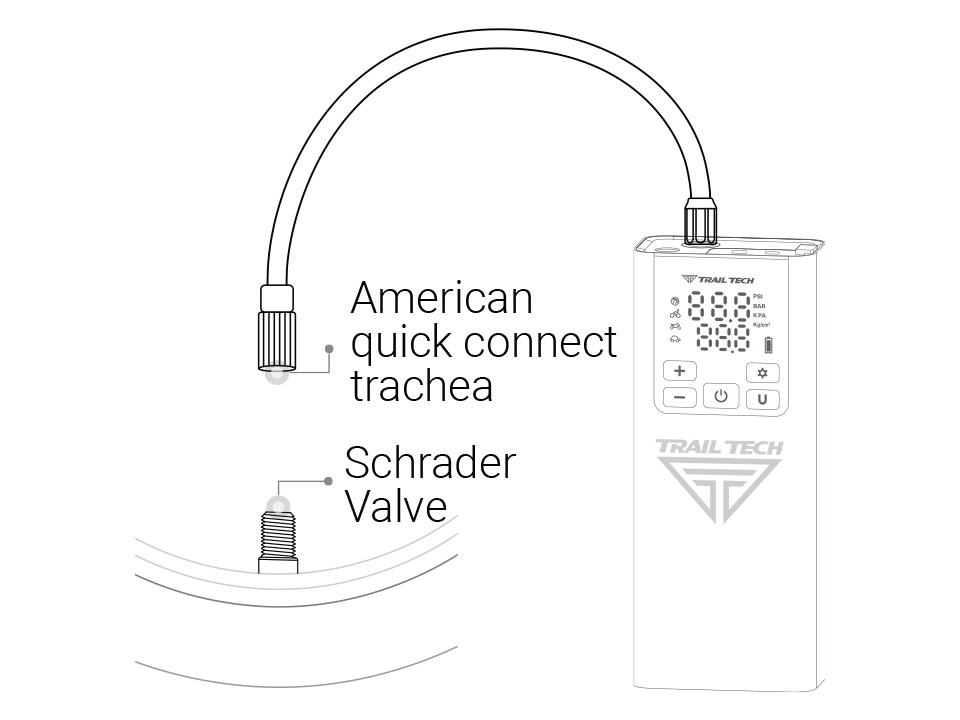
Commonly found on cars and bikes. Attach the trachea directly to the valve stem.
Presta Valve
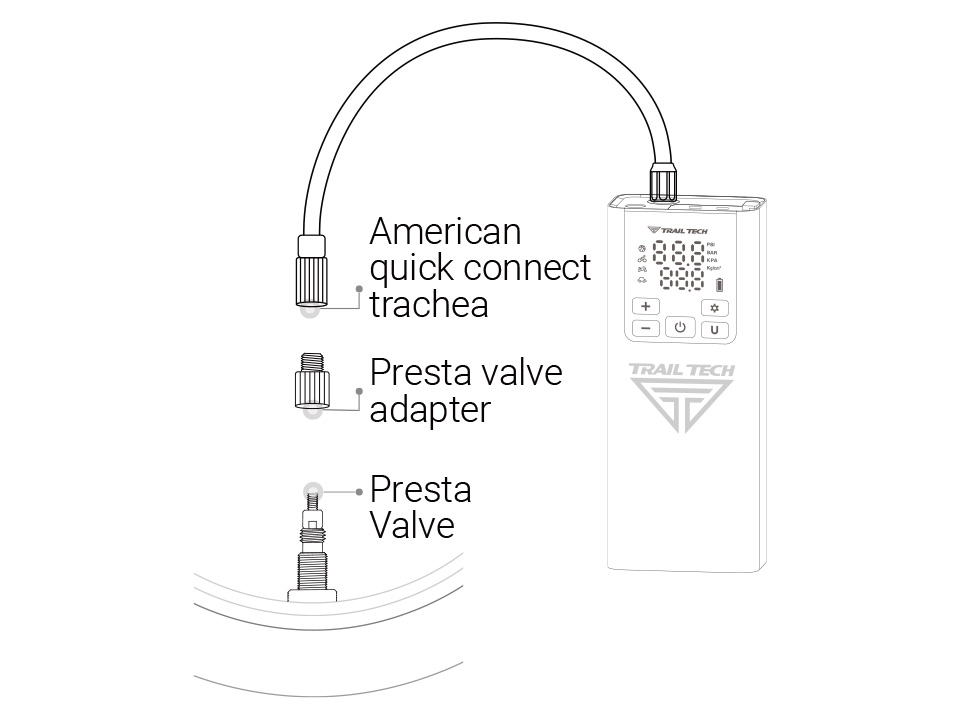
Found on road bikes. Use the Presta adapter to connect the trachea to the valve.
Sports Ball Needle
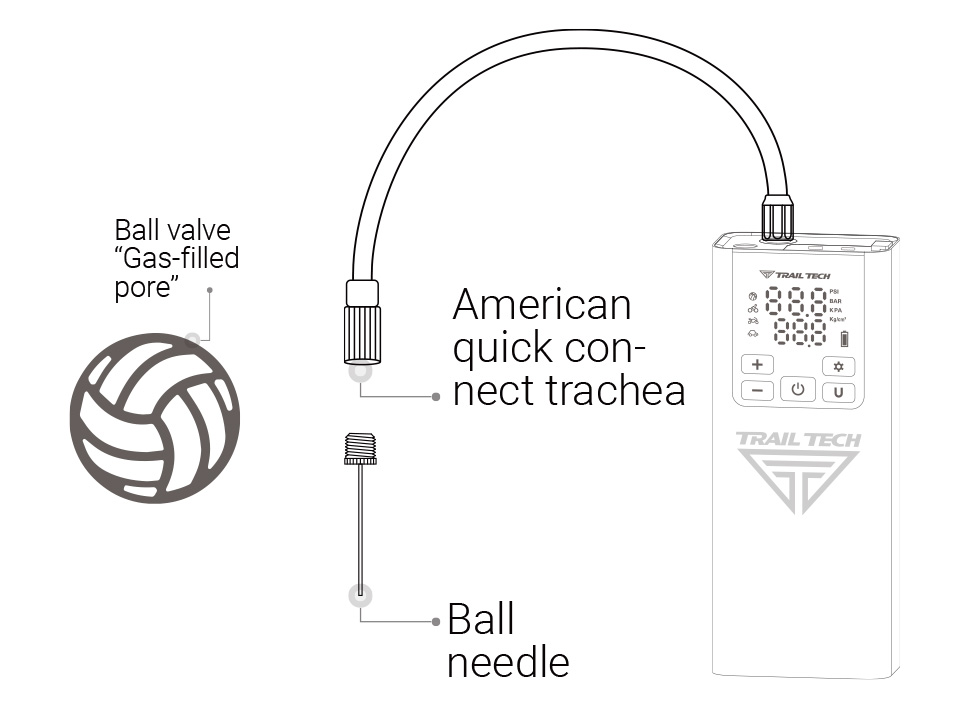
Attach the needle to inflate balls like basketballs and soccer balls.
Inflation Modes
Select preset pressures or customize settings for different inflation tasks.
Selecting a Mode
Press the mode select button to cycle through five modes:
- 🏀 Balls: 8 PSI (2–15 PSI)
- 🚲 Bicycle: 38 PSI (2–150 PSI)
- 🏍️️ Motorcycle: 2.7 BAR (0.1–3.7 BAR)
- 🚗 Motor Vehicle: 2.4 BAR (0.1–4.4 BAR)
- 🚴 Custom: 100 PSI (2–150 PSI)
Customizing Pressure
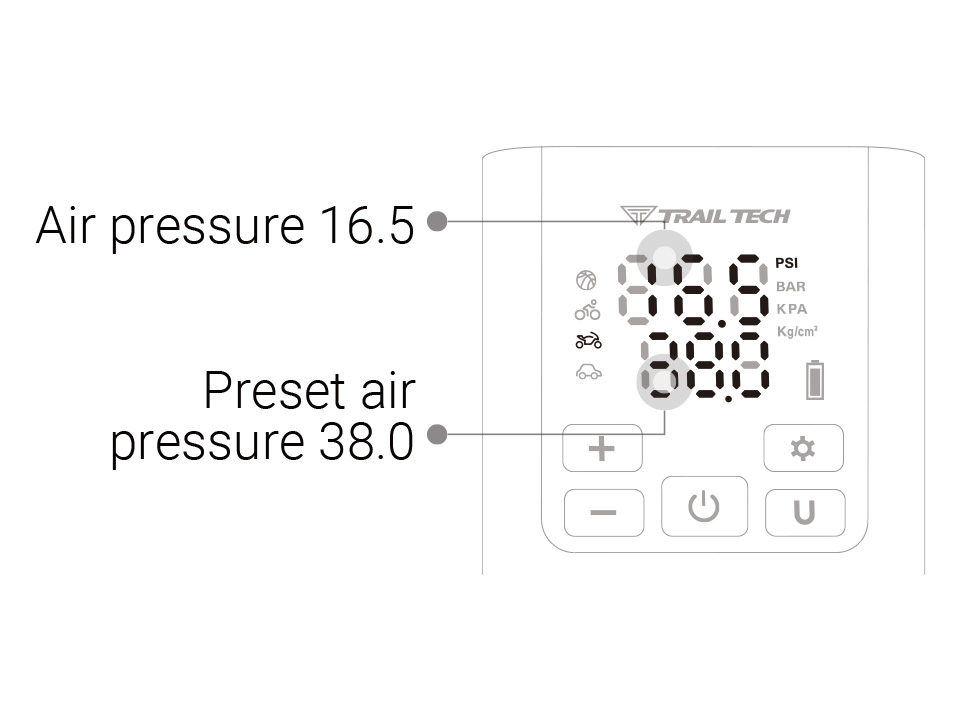
Use the +/- buttons to adjust the pressure. Long press for faster adjustment.
Common Pressure Ranges
| Category | Type | Pressure Range |
|---|---|---|
| 🏍️ Motorcycles | Off-Road Bikes | 1.5–2.5 BAR |
| 🚗 Automobiles | Cars, Trucks | 2.2–2.8 BAR |
| 🚲 Bicycles | Adult Bikes | 38–55 PSI |
| ⚽ Sports | Basketball | 7–9 PSI |
How to Verify and Adjust Pressure
Ensure optimal performance by inflating to the manufacturer's recommended pressure values.
Vehicles
Adjust tire pressure based on conditions:
- Off-Road: Lower pressure for better traction.
- On-Road: Reinflate to recommended pressure.
- Load Weight: Adjust pressure for heavier loads.
Motorcycles and Bicycles
Lower pressure for off-road traction; higher pressure for on-road efficiency.
Sports Balls
Inflate to the pressure indicated on the ball for optimal performance.
Cautions
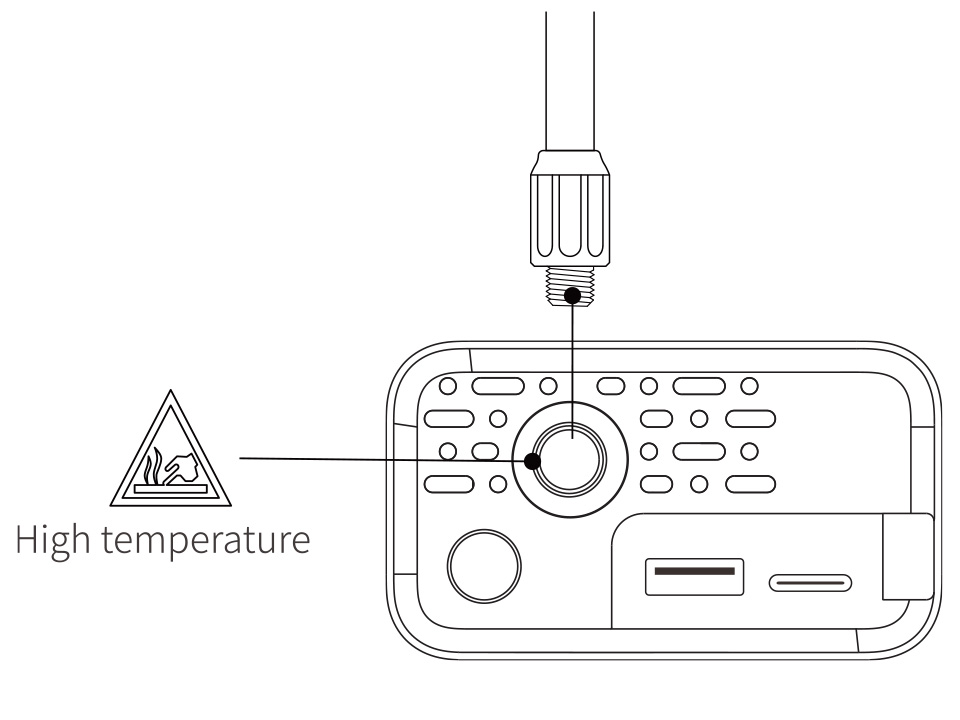
- 🌡️ Warning: Parts may be hot after use.
- Monitor inflation to prevent over-inflation.
- Do not operate near flammable materials.
- Store in a cool, dry place.
- Keep out of reach of children.
- Do not expose the battery to extreme heat.
Calibration
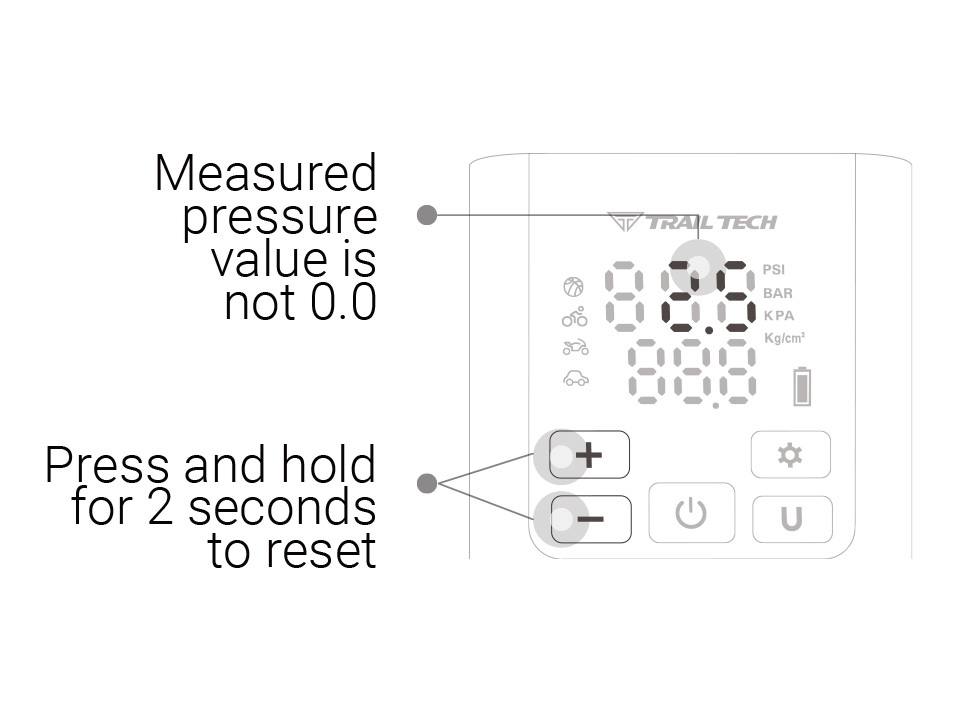
Ensure accurate pressure readings by calibrating the compressor:
- Disconnect the trachea.
- Press and hold the "+" and "-" buttons for 2 seconds.
- The display resets to 0.0 PSI.
Troubleshooting Guide
Solutions for common issues:
Inflates Too Slowly
- Check battery charge.
- Inspect for air leaks.
- Ensure tight connections.
Unable to Inflate
- Ensure sufficient power.
- Check if preset pressure is lower than current pressure.